Saturday, 20 February 2016

Further Implementing A*

Following on from my earlier post; A* Pathfinding, I have now started to implement the A* pathfinding I have learnt into the core of the game, but have reached small snags up to this point.

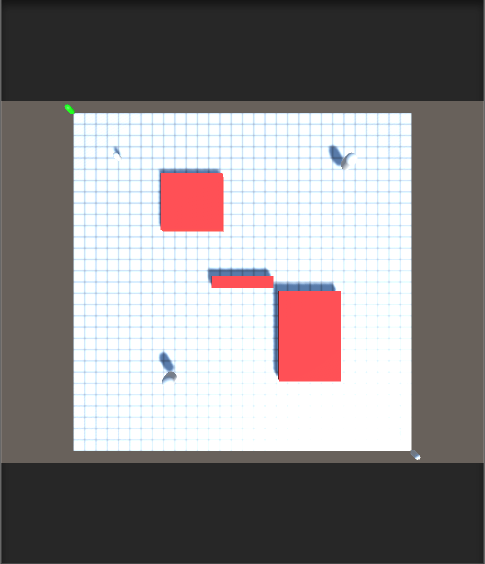
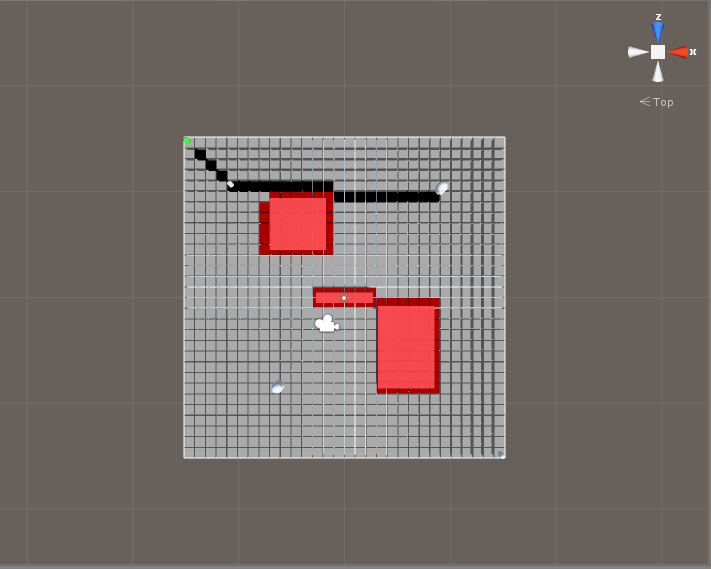
I have now got a visible grid being instantiated along with the node points, with both node and tile having each other as variables. I have been able to tweak and apply GameManager.cs into the A* build. Units are spawning, and can be moved around the map, as they could with the original pathfinding.

The mouse can now operate as the target position; Once the player starts to move a unit, the target transform will go to any tile moused over, with the path being painted in the scene editor via the use of gizmo's.

One issue so far, is the order of movement. At this time, when a unit goes to move, rather than going from seeker position to target, the unit appears at the target, and moves back to its original position. Rather than following along the path square-by-square, the unit continues to shoot immediately to the destined position. This is one major aspect I believe must be locked down, as it is the biggest impediment at the current time.

As a more minor issue, I am struggling to have the tiles change colour to create a visible path line to the player in the game, rather than just the scene manager.

My next steps will be:

  • Ensure a unit is travelling to the end target
  • The unit moves square by square, instead of travelling as the crow flies
  • Basic visual movement feedback for the player
Monday, 15 February 2016

Basic Design Components

In my rush to start coding my SRPG mission, I overlooked basic design aspects, so, on recommendation from the feedback received for the presentation, I will use this post to outline these aspects, to help create a clearer picture on what exactly the SRPG mission will be.

Set-up
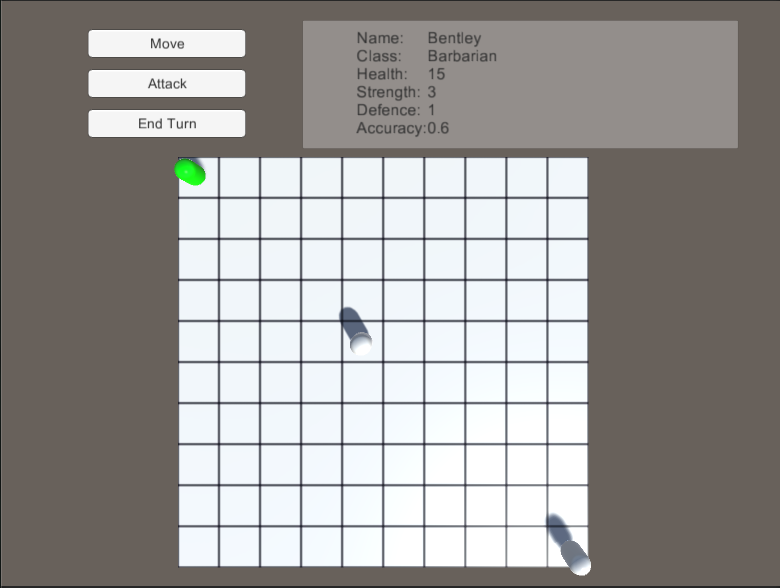
The player is presented with a grid-based map. Two groups of units will be visible; player units, and enemy AI units.

Objective
The objective of the mission is to defeat the enemy team.

Rounds
The player will play through the mission in rounds. In the first round, the player will be able to move and attack with all their units, in any order. Once the player has finished their movement, the AI units will then move and attack. Once the AI has finished, the round will end, and the next round will start. This continues until only one team remains.

Unit Actions
Every unit can move, and attack, on their turn. Between these two actions, the player will also be able to access and use that units inventory only once per turn. Otherwise, the unit will be able to move, and if in position to, attack. Once the attack has been completed, the units turn will end.

Movement
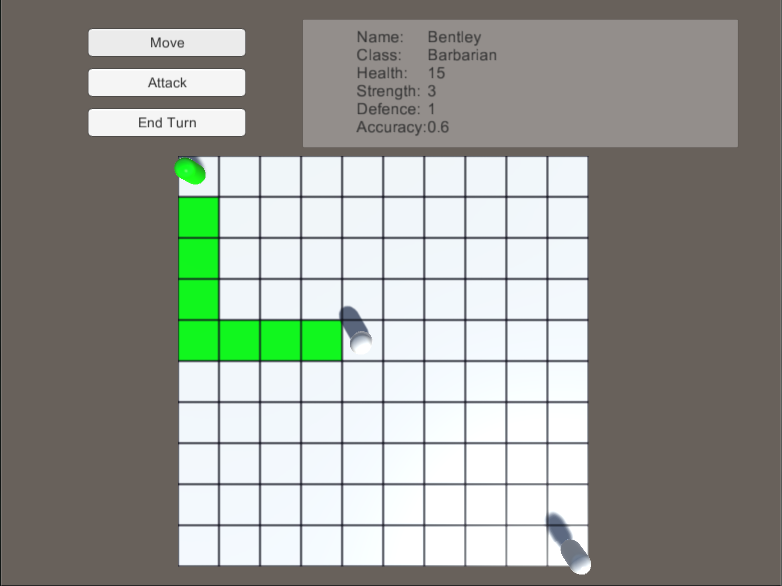
The player will be able to move a unit a number of spaces less than or equals to their movement limit.

Combat
The player will be able to use a unit to attack an enemy unit, once they have moved a unit adjacent.

Stats
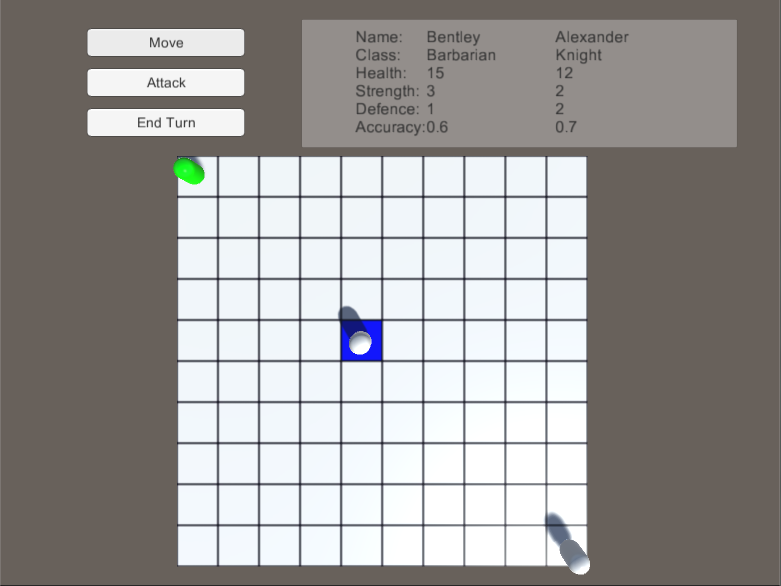
Every unit has a collection of stats, that effect their combat capabilities

Strength
Effects the units basic damage output.

Defence
Effects how much damage can be absorbed before health is effected.

Accuracy
Effects the chance of the units hit landing.

Health
How healthy the unit is. If health reaches 0, the unit is dead.

Damage Roll
Effects the units damage output, by essentially rolling an x sided dice to apply bonus damage.

Thursday, 11 February 2016

A* Pathfinding

Following on from my previous post, Moving On, I have started to look into an A* Pathfinding Algorithm. To help me get to grips with it, I have replicated an A* algorithm tutorial from YouTube; Sebastian Lague's first 3 Unity Pathfinding Tutorial videos.
 Through this, I have managed to replicate the A* demonstrated, fully commenting all code used, to show my understanding of what I have replicated.

This has given me a great start into A*, but the code I have replicated will need to be heavily modified, as there are parts of it that do not operate or fit the design envisioned for the final artifact. This will include:

  • Removing any diagonal movement
    • Diagonal movement is rarely to ever seen in SRPGs, so keeping to standard style, I need to remove any diagonal movement, and have the pathfinding working through vertical and horizontal movement
  • Mouse tracks target node
    • Rather than having a target node set for the target position, I intended to have the mouse be able to move among squares, changing the target point. In consideration towards the code already implemented, it may be an idea to have the mouse position set as the seeker, and the unit moving as the target
  • Have a grid matching the nodes
    • I wish to implement the grid style created for the original build of my game, so players can still be given basic visual feedback in the movements and choices.
Along with this, I have now had my presentation to explain to lecturers where I am with the project. Following this, I have been recommended to go back to the design, and outline the basic components of my game, e.g. defining what a turn is. This will be my next major step, before pushing onto the A* implementation.


Friday, 5 February 2016

Moving On

On Thursday 4th February, I had a meeting with one of my lecturers, Chris Jane, to discuss the issues I've had with movement, and about the upcoming presentation that will be presented on Monday 8th February. This presentation will be an update of my work to the lecturers of the course. I will discuss what has gone well the project so far, what has gone awry, and what my next steps should be.

While I had intended to overcome the foreach loop I was struggling with, as mentioned in my last post, Further Movement Issues, and wrap up basic AI, I was recommended to move past those, and start implementing the A* Pathfinding Algorithm into my project. While I did some light research into into it at the beginning of the project, I still have yet to wrap my head fully around it.

My next step will be to conduct further research into A* Pathfinding, and attempt to grasp the basics of it. This will hopefully be implemented into the project with a couple of weeks at the most. Following this, I will prepare for my presentation, which will include a revised timeline for the project, as I feel there are aspects of the project that were not prioritized correctly, and as I have fallen behind by a couple weeks, will need to be re-ordered.

Sunday, 24 January 2016

Further Movement Issues

Since my last post, I have been attempting to expand on the current movement implemented. To do this, I have attempted have players create a path in game, that their unit would then follow. This would allow me to implement a movement limit, and ensure that all units move tile to tile, rather than the current "shoot across the map to x location".

While I have been able to start on the creation of paths, I have hit a slight wall in dealing with a foreach loop. Tiles for a path are selected, and being added to a list that would comprise of every tile moved to along the path. The issue is, players can double back on themselves, by selecting a previously selected, adjacent tile. I have attempted to create a foreach loop, as below in Tile.cs, that looks for any member of the list that matches the tile being added. If already there, it should remove the tile from the list, but currently, the foreach is only reaching the first entry of the list, and never going further.

Further details on progress can be found in the comments on Tile.cs.

Thursday, 31 December 2015

Classes and Movement

Carrying on from my previous post, Running into Issues, and attempting to use debug, I have now
implemented a class system, that will change the base stats of the units, and how they interact with
other classes.

Movement has now been further refined. The player will click on the "Move" button, which will allow
the unit to move to any space on the map at this present moment. A unit can only move once per turn,
and can now attack units adjacent to themselves. Depending on the class of the current unit and 
opposing unit, modifiers may come into play, giving the current unit positive or negative accuracy and
attack modifiers.

Units now have an "Actions" limit, allowing them to perform two actions in one turn. 

All code relating to changes can be found below.

For my next step, I intend to:
  • Look at creating a separate class for unit classes
  • Have AI units moving next to, and attacking player units
  • Adding a movement limit.

Wednesday, 9 December 2015

Running into Issues, and attempting to use debug

Following on from my previous post; Map Implementation, I have continued to follow YouTube user Paul Metcalf's tutorial, Unity3D Simple Tactics Turn Based Game Creation Tutorial Part 2: Combat .

I will be posting commented code upon completing this part of the tutorial, this post is intended to highlight an issue I ran into, and how I attempted to fix it.

Relating back to the code in Map Implementation, two booleans were added to the Player class:


These booleans were added, so that the current unit would know if it was in a state ready for movement, or combat. The movement formerly added will now function only if the moving boolean is true. This was done through the Move function in the UserPlayer class:

The Move function was then set to a UI Button:
 As seen in the snippet of code above, if moving is false (represented by "!moving"), moving should be set to true when the function is run.

When the game was run with the above settings, I could not get the current unit moving. I could not understand this at all, so tried a few different fixes to see if I could progress.

Coding Fixes
To begin with, I attempted to change the code slightly, adding a debug log, changing variables, attempting to call the player in different manners. These are all shown below; this is within the Move function in the Userplayer class.

Having tried all of the above, I decided to take another approach:

Debug Mode
Though I have not formally used it before, I decided to attempt to use the debug functions within MonoDevelop, to see if this would help me find the answers to my problems:
I set the debug to start running once the if statement was activated.
Once the function had started, moving is definitely set to false, before it has attempted to switch to true.
Once the function has moved passed "moving = true", it is evident that moving is now set to true.
Yet, regardless of the above, moving on the current unit was still set to false.
At this point, I turned to my lecturer Chris for hopefully a hint. After a brief look at it, he brought to my attention where I was telling the button to get the Move function from; a unit prefab that was in the scene, unrelated to the loaded game.
This meant that I would have to relocate the button functions to an object that was always in the scene, such as the GameManager. So after a quick tweak, I made the change:
Now, the draw on the players list, calling on the current unit moving via the currentPlayerIndex int, and changing the variables through that method.

In hindsight, it was a silly mistake to make; I had believed for some reason I was assigning the button to the player prefab as a type, rather than as a singular game object. Once I realised the mistake, it was a simple fix, but I believe I have gained useful experience from this;

  • Pay attention to what objects are being assigned, and make sure to check if it is the object, or object type, being assigned.
  • The debug log is a helpful tool, for breaking down functions one step at a time, allowing me to view what the function is doing at every point it runs.
  • If in doubt when trying to run a function off a prefab, move the function into a constant class, and try it with external access to the base class it's effecting.